
There are three spots at the top of local Google search results that every local business owner wants. If your business is in those three spots when someone nearby searches for what you offer, your phone rings. If you’re not, you’re essentially invisible to the most motivated buyers in your market.
That block of three listings is called the Google Map Pack. And for most local businesses, getting into it is the single highest-impact thing you can do in local SEO.
Ranking in the Google Map Pack involves a specific process, not luck. It is not complicated and takes consistent effort rather than technical wizardry. The businesses that follow it systematically are the ones that show up in those three spots while their competitors sit just below, wondering what they’re missing.
This guide walks you through every step of that process in 2026.
What Is the Google Map Pack?
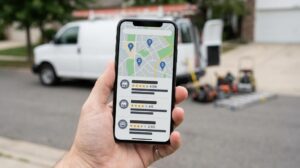
The Google Map Pack is the block of three local business listings that appears near the top of Google’s search results when someone performs a local search, displayed alongside a Google Maps panel showing the business locations. It sits above paid ads and below traditional organic search results.
If you’ve ever searched “coffee shop near me” or “dentist in Denver” on your phone, you’ve seen it. Three businesses, a star rating, a brief description, the distance from your location, and a click-to-call button. Sometimes it also includes hours and a busy indicator.
Those three spots capture a disproportionate share of clicks for local searches. Research from BrightLocal consistently shows that the Map Pack receives the majority of clicks for local intent searches, significantly outperforming the organic listings below it.
Getting into the Map Pack doesn’t require you to outrank the entire internet for your keyword. It requires you to outperform nearby competitors on a specific set of local signals. That’s both the challenge and the opportunity.
How Google Decides Who Gets Into the Map Pack
Google uses three core signals to determine which businesses appear in the Map Pack for any given search. Understanding these signals is what makes the rest of this process make sense.
Relevance
How well does your business match what the searcher is looking for? Google considers your business category, your GBP description, the keywords on your website, the services listed in your profile, and dozens of other signals to determine how relevant your business is to the search query.
Distance
How close is your business to the searcher, or to the location they specified in the search? This is partly beyond your control — you can’t relocate your business to be closer to every searcher. But distance is one of three signals, not the only one, and businesses that strongly optimize the other two can rank above closer competitors.
Prominence
How well-known and reputable is your business online? This is where most of the optimization work lives. Prominence is influenced by your review volume and rating, your citation footprint, the quality and completeness of your GBP profile, your website’s authority, and your overall online presence. This is the signal you have the most control over.
Every step in this guide builds one or more of these three signals. That’s the framework everything else hangs on.
The three signals above — relevance, distance, and prominence — sit within a broader local SEO framework that also covers citations, NAP consistency, on-page signals, and local link building. For the complete picture, read our full guide: The Complete Local SEO Guide for Small Business: How to Rank in Your City in 2026. It gives every step in this article the strategic context it deserves.
Step 1: Claim and Fully Optimize Your Google Business Profile
Your Google Business Profile is the foundation of your Map Pack presence. Google can’t rank a profile it doesn’t trust, and it can’t trust a profile that’s incomplete, inaccurate, or abandoned. Claiming your profile is the starting point. If your business already has a listing on Google, claim it as the verified owner. If it doesn’t, create one from scratch at business.google.com. Complete the verification process. An unverified profile has limited functionality and reduced ranking potential.
The full step-by-step GBP optimization process — including categories, photos, posts, Q&A, and performance tracking — lives in the cluster article below.
How to Fully Optimize Your Google Business Profile in 2026 — May 29, 2026
Step 2: Nail Your NAP Consistency Across the Web
NAP stands for Name, Address, Phone number. These three pieces of information need to appear in exactly the same form everywhere your business is mentioned online.
Google cross-references your GBP information against hundreds of external sources to verify that your business is legitimate and stable. When those sources agree, Google’s confidence in your business goes up. When they conflict — even in small ways — that confidence erodes.
“Main Street” on your website and “Main St” on Yelp. “Suite 200” on your GBP and “Ste. 200” on your Facebook page. These inconsistencies send a signal of conflict to Google’s local algorithm, which quietly suppresses your rankings.
Fixing citation inconsistencies is one of the most impactful things you can do for Map Pack rankings, particularly if your citation profile has never been properly audited.
Read more: NAP Consistency: Why Your Name, Address, and Phone Number Matter to Google.
Step 3: Build and Manage Your Reviews Actively
Reviews are one of the most powerful Map Pack ranking signals available to a local business. Not just your overall star rating — though that matters. Google looks at the total number of reviews you have, how recently they were left, how consistently they arrive, the specific language people use in them, and how often and how well you respond.
In the Map Pack, a business with 200 reviews averaging 4.7 stars will almost always outperform a business with 12 reviews averaging 4.9 stars. Volume and recency together tell Google that real customers are actively engaging with your business. Make the process as easy as possible by generating your direct review link from your GBP dashboard and sharing it in every review request.
One thing worth knowing: Google’s review policies prohibit incentivizing reviews. Don’t offer discounts, gifts, or other rewards in exchange for leaving a review. The risk of a listing suspension isn’t worth it, and genuine reviews from real customers are more valuable anyway.
Step 4: Add Local Keywords to Your GBP and Website
Relevance is one of Google’s three core Map Pack signals, and keywords are how you communicate relevance. This doesn’t mean stuffing your business name or description with keywords. It means making sure Google can clearly understand what you do and where you serve.
In your GBP profile, keywords belong in a few specific places. Your business description should naturally mention your primary service and your location. Your services section should list your actual services in the language your customers would use to search. Your posts can naturally include relevant service and location terms.
On your website, local keyword signals matter significantly. Your homepage and key service pages should clearly include your primary service keywords and location in title tags, headings, and body content. If you serve multiple areas, location-specific service pages give you the best chance of appearing in Map Pack results for each area.
A dentist in Denver whose website clearly talks about dental services in Denver — across multiple pages and in the right places — sends much stronger relevance signals than a dental website that never mentions location at all. It sounds obvious, but a surprising number of local business websites are location-agnostic in ways that cost them visibility in the Map Pack.
Avoid over-optimization. Forcing keywords into places where they don’t naturally belong reads as spam to both Google and real visitors.
Step 5: Build Local Backlinks
Backlinks from other websites are a prominent signal. For local Map Pack rankings specifically, links from locally relevant and industry-relevant sources carry significant weight. These don’t need to be from huge national publications. Local authority is built through local connections.
Here are the most effective sources of local backlinks for most small businesses:
- Local business directories and citations. Your Google Business Profile, Yelp, Bing Places, and industry-specific directories are citations first and backlinks second. Getting the major ones right contributes to both your citation and link profiles.
- Your local chamber of commerce. Most local chambers have member directories with live links to member websites. A chamber membership is often worth it for the local authority signal alone, before the networking benefits.
- Local sponsorships. Sponsoring a local sports team, community event, school fundraiser, or charity creates backlinks from the websites of local organizations. These links carry strong local relevance signals and often come from sites with genuine community authority.
- Local press and media. Getting mentioned in a local news article, a community blog, or a neighbourhood publication creates high-quality unstructured citations and backlinks from sources Google trusts as local authorities.
- Partner and supplier links. If you have relationships with suppliers, vendors, or complementary businesses that have websites, a mutually linked arrangement that’s genuinely relevant is a clean, white-hat way to build local link equity.
Firestarter SEO’s approach to local link building is one of the areas where working with an experienced agency delivers the fastest and most durable results — because building the right links at the right pace through the right sources takes both knowledge and relationships. Our local SEO service includes a link acquisition strategy tailored to your specific market and level of competition.
Step 6: Use Google Posts Consistently
Google Posts are short updates that appear directly on your GBP listing in search results. They function like a social media post that lives on your Google profile rather than a social platform. Most local businesses never use them. That’s an opportunity.
Consistent Google Posts send an activity signal to Google. An active profile — one that’s being updated regularly with new content — is treated differently from a profile that was set up once and then left untouched. Google rewards active profiles in local rankings because activity signals suggest a business that’s open, operating, and engaged with its customers. Include a call to action where relevant: “Book now,” “Call today,” “Get a quote.”
Step 7: Add Your Services and Products in GBP
The Services section of your Google Business Profile is one of the most underused features in local SEO. Google uses the services you list to match your business to relevant searches beyond your primary category.
Go into your GBP dashboard and add every service you genuinely offer. Write brief, accurate descriptions for each service where the platform allows it. These descriptions add keyword context that helps Google understand the full scope of what you offer, improving your relevance for a wider range of local searches.
This is one of the quickest wins in Map Pack optimization. It takes an hour, requires no technical knowledge, and immediately adds relevance signals to every service you list.
Step 8: Optimize for Mobile and Voice Search
The majority of local Map Pack searches happen on mobile devices. Someone walking down the street looking for a nearby pharmacy. Someone on a job site is searching for a parts supplier. Someone is sitting in their car searching for a restaurant that’s open right now. Mobile is where local search lives.
This has two practical implications for Map Pack rankings.
First, your website needs to be fully mobile-optimized. Fast load times on mobile, a layout that works on smaller screens, click-to-call buttons that actually work, and a user experience that doesn’t require pinching and zooming. Google indexes the mobile version of your site first, so a poor mobile experience is a ranking liability across both Map Pack and organic results.
Second, voice search optimization matters more for local queries than for almost any other type of search. When someone asks their phone, “find a plumber near me” or tells their smart speaker “, call a dentist in Denver,” those queries are processed using local search signals. The businesses that show up are those with strong, complete, consistent GBP profiles and reviews to support them.
Voice search queries tend to be more conversational and question-based than typed queries. Making sure your GBP’s Q&A section is populated with the questions your customers actually ask — answered in natural language — positions you well for these query types.
Common Reasons Businesses Can’t Break Into the Map Pack
Even with consistent effort, some businesses hit a ceiling. Here’s what usually causes it.
- Proximity limitations. If you’re physically far from the city centre your customers are searching from, distance works against you. You can partially overcome this with stronger prominence signals, but geography is a factor you can’t fully optimize away.
- A suspended or unverified listing. A GBP listing that’s been suspended, flagged for guideline violations, or never properly verified won’t rank in the Map Pack regardless of anything else you do. If you suspect a suspension issue, Google’s reinstatement process is the path forward.
- Insufficient reviews. In competitive markets, a business with ten reviews simply can’t compete with a business that has three hundred, all else being equal. Review volume is a prominent signal that takes time to build and cannot be shortcut.
- A weak or non-existent website. Your website is a supporting signal for your GBP. A business with no website, or a website that Google doesn’t trust as a credible source, loses the prominence points that competitors with strong websites are accumulating.
- Thin GBP profile. Missing services, no photos, no posts, a vague description, and no Q&A content add up to a profile that tells Google very little about your business. Thin profiles lose to thorough ones in competitive local markets.
The Google Map Pack isn’t a lottery. It’s a ranking system that responds to specific, measurable signals. Build those signals consistently, and your chances of appearing in those three spots improve in direct proportion to the work you put in.
If you want to know exactly where your local presence stands and what’s holding your Map Pack rankings back, Firestarter SEO’s local SEO service starts with a full diagnostic of your GBP, citations, reviews, and website, then builds a strategy tailored to your specific market and level of competition.
Frequently Asked Questions
1. Can I rank in the Map Pack without a physical address?
Yes. If you run a service-based business without a customer-facing location, you can rank in the Map Pack by setting service areas rather than displaying a physical address. The key is being accurate about your service geography and ensuring your website and other signals support the areas you claim to serve. Service-area businesses can compete effectively in the Map Pack when their GBP is complete, their reviews are strong, and their NAP data is consistent across the web.
2. Does the order of businesses in the Map Pack change depending on who’s searching?
Yes. Map Pack rankings are not universal. They vary based on the searcher’s physical location, the device they’re using, the specific search query, and personalization signals. A business might rank first in the Map Pack for someone two blocks away and third for someone across town. This is why tracking Map Pack rankings requires location-specific tools rather than just Googling yourself from your office. Tools like BrightLocal and Whitespark track local pack positions at a granular geographic level and give a more accurate picture of your competitive standing.
3. Will paying for Google Ads help my Map Pack ranking?
No. Paid ads and organic Map Pack rankings are completely separate systems. Running Google Ads does not improve your GBP’s organic local ranking, and pausing ads does not hurt it. Google keeps these systems entirely independent. The only connection between paid ads and Map Pack rankings is strategic — running ads for high-value local keywords while building organic Map Pack visibility gives you immediate presence, while the longer-term organic work compounds.
4. My competitor has fewer reviews than me but ranks higher in the Map Pack. Why?
Reviews are one signal among many. A competitor with fewer reviews might be ranking higher because they have a more complete GBP profile, stronger citation consistency, more local backlinks, a more authoritative website, or a proximity advantage you don’t have. Reviews matter a lot, but they don’t override everything else. If a competitor with fewer reviews is consistently outranking you, the gap is likely in one of the other prominence signals — citations, website authority, or GBP completeness.
5. What is the Google Map Pack and why does it matter for local businesses?
The Google Map Pack is a block of three local business listings that appears at the top of Google’s search results for local queries, displayed alongside a map showing the business locations. It sits below paid ads and above the standard organic results. The Map Pack matters for local businesses because it captures the majority of clicks from high-intent local searches, people searching for a nearby service who are ready to call or visit. Appearing in the Map Pack for your most valuable local keywords is typically worth more than any other single improvement in local SEO, because it puts your business directly in front of buyers at the exact moment they are looking for what you offer.
Want to know exactly what’s holding your Map Pack rankings back? Firestarter SEO’s local SEO audit gives you a clear, prioritized picture of your GBP health, citation consistency, review profile, and website signals — and exactly what to fix first. Request your free audit here or contact our team directly to discuss your local search strategy.