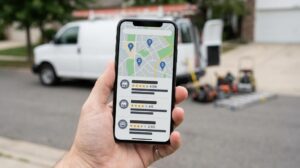

Picture two plumbers who serve the same neighborhood. They have the same experience, similar pricing, and are both doing solid work.
Plumber A shows up at the top of Google Maps every time someone nearby searches “plumber near me.” Plumber B stays invisible. Plumber A gets all the calls and bookings, and Plumber B is always left wondering why business has been slow.
The difference between those two businesses, more often than not, comes down to one thing: how well their Google Business Profile is set up.
A Google Business Profile is completely free and takes less than an hour to set up properly. And yet the majority of local businesses have one that’s either incomplete, inaccurate, or non-existent entirely. That’s not just a missed opportunity. It’s actively costing them customers, to competitors who figured this out.
This guide walks you through every step of a proper Google Business Profile optimization in 2026. By the end, you’ll know exactly what to do, what to avoid, and why each step matters for your local rankings.
What Is a Google Business Profile and Why Does It Matter?
A Google Business Profile, often still called “Google My Business” by people who’ve been in the game a while, is the free business listing that appears when someone searches for your business by name or finds you through a local search. It’s the panel that appears on the right side of desktop search results and the card that appears in Google Maps. Google has confirmed that your Business Profile directly influences local ranking and is one of the primary tools it uses to verify your business’s legitimacy.
More importantly, it’s what powers the Local Pack. The Local Pack is the block of three business listings that appears at the top of Google’s results when someone searches for a local service. “Dentist in Denver.” “Restaurant near me.” “HVAC repair.” That block of three results sits above organic search listings and below paid ads, capturing a significant share of clicks from people ready to take action right now.
Research from BrightLocal consistently shows that local searches have high commercial intent. People searching locally aren’t browsing. They’re looking for someone to call, visit, or book. Showing up in the Local Pack for those searches puts your business directly in front of the most motivated customers in your market.
That’s why your Google Business Profile isn’t just a directory listing. It’s one of the highest-converting pieces of digital real estate available to a local business, and it costs nothing to claim.
Your Google Business Profile is one piece of a broader local SEO strategy. For the complete picture, including how citations, NAP consistency, local backlinks, and on-page signals all work together, read our full guide: The Complete Local SEO Guide for Small Business: How to Rank in Your City in 2026. Start there if you’re building your local strategy from the ground up, then come back here for the GBP deep-dive.
Step 1: Claim and Verify Your Profile
You can’t optimize a profile you don’t control. The first step is making sure you’ve claimed your Google Business Profile and completed verification.
Go to Google Business Profile and search for your business. If it already exists, which it might, because Google sometimes creates listings automatically from publicly available information, you’ll need to claim it as the owner. If it doesn’t exist, create it from scratch.
Verification tells Google you’re the legitimate owner of the business. The most common method is a postcard sent to your business address with a verification code, though phone and email verification are available for some businesses. Some established businesses qualify for instant verification.
Don’t skip this step or leave it half-finished. An unverified profile has limited functionality, won’t rank as well in local results, and can be edited or claimed by someone else.
Step 2: Nail Your Core Business Information
Once you’re verified, the first thing to focus on is accuracy across every field in your profile. Google cross-references your information against other sources across the web. Inconsistencies are a trust signal problem. Consistency is a local authority signal.
Business Name
Use your real, legal business name exactly as it appears on your signage, website, and official documents. Do not add keywords to your business name. “Denver Plumbing and Drain Repair Services Expert” is not your business name, and keyword stuffing in this field is a violation of Google’s guidelines that can get your listing suspended.
Address
If you serve customers at a physical location, enter your full address accurately. If you’re a service-area business that goes to customers rather than having them come to you, like a mobile dog groomer or a home repair contractor, you can hide your address and set service areas instead.
Phone Number
Use a local phone number, not a national call tracking number, as your primary listed number. Local numbers are a local authority signal. If you use call tracking, it adds a layer of friction for clients who would otherwise simply call.
Website
Link to your website homepage, or to a specific landing page if you have a location-specific page that’s more relevant. Make sure the URL works and points to a useful page.
Business Hours
Set accurate hours and keep them up to date. Add special hours for public holidays or weekends where applicable. Nothing frustrates a potential customer faster than showing up to find a business closed when Google said it was open. And nothing signals unreliability to Google faster than a listing with hours that don’t match reality.
Step 3: Choose the Right Categories
Your primary business category is one of the most important ranking factors in your entire Google Business Profile. Google uses it to determine which local searches your business should appear for.
Choose the most specific, accurate primary category that describes your main business activity. If you’re a dentist, “Dentist” is your primary category, not “Health and Medical.” If you’re a personal injury law firm, “Personal Injury Attorney” beats the generic “Lawyer.”
Secondary categories let you cover additional services. A dental practice might add “Cosmetic Dentist,” “Orthodontist,” or “Emergency Dental Service” as secondary categories if those are genuine services they offer.
The temptation is to add every possible category to capture more searches. Resist it. Irrelevant categories dilute your relevance signals for the categories that actually matter. Google rewards specificity. Choose the categories that genuinely reflect what you do and who you serve.
Categories are updated regularly, and new, more specific options are often added that businesses miss because they set their categories years ago and never revisited them. It’s worth reviewing your category selection at least once a year.
Step 4: Write a Business Description That Works
Google gives you 750 characters to tell both potential customers and Google what you do, who you serve, and why you’re worth choosing. Most businesses waste it on generic copy that says nothing specific.
A good description covers three things: what you do and where you do it, who your ideal customer is, and what makes you different from every other business in your category.
For an SEO company in Denver, for example, a description that says “Award-winning Denver SEO agency with 15+ years of experience helping local businesses rank higher on Google through transparent, ROI-focused search engine optimization” is infinitely more useful than “We are an SEO company that helps businesses grow online.”
Work your primary keyword and location naturally into the description without forcing it. Google reads this field, and it contributes to your relevance for local searches. Write it for the human reading it first. Lead with your strongest points in the first 250 characters; that’s what shows before Google truncates to “more.”
Step 5: Add Photos and Videos
According to Google’s own data, businesses with photos on their Google Business Profile receive significantly more requests for directions and website clicks than those without them. Photos are both a ranking signal and a conversion signal.
At a minimum, your profile should have the following:
- A logo. This appears next to your business name across Google products. Use a clear, high-quality version on a clean background.
- A cover photo. The banner image that visually represents your business. Choose something that shows your business at its best, your storefront, your team, your work, or your products.
- Interior and exterior photos. For businesses with physical locations, these help customers recognize your business when they arrive and signal to Google that you’re an active, real business.
- Work photos. For service businesses, before-and-after photos or photos of completed work build trust in a way no written description can match. A plumber who shows clean, professional pipe installations. A landscaper showing a finished garden transformation. These convert browsers into callers.
Add new photos regularly throughout the year, not just at setup. Google favors active profiles, and a steady stream of fresh photos signals that your business is open and operating. Videos up to 30 seconds can also be added and tend to perform well in engagement metrics.
Step 6: Collect and Respond to Reviews
Reviews are one of the most powerful local ranking signals Google uses. The number of reviews you have, their overall rating, and how recent they are all contribute to where your business appears in local results. Research consistently shows that nearly 90% of consumers trust online reviews as much as personal recommendations, making your review profile one of the most influential elements of your entire local presence.
Building a review strategy doesn’t require anything complicated. The most effective approach is simply asking. Most satisfied customers don’t leave reviews because nobody asked them to. A follow-up email or text after a completed job, a card handed to customers at checkout, or a direct ask at the end of a service appointment can dramatically increase your review volume over time.
Make it easy by generating your direct review link from your Google Business Profile dashboard and sharing it directly. Remove every possible step between the ask and the review.
Responding to reviews matters as much as collecting them. Respond to positive reviews; it signals engagement and appreciation. Respond to negative reviews professionally and without defensiveness. This signals to potential customers that you take service seriously and to Google that your business is active and engaged.
Never respond to a negative review with defensiveness or excuses. Acknowledge the experience, apologize where appropriate, and offer to resolve it offline. Future customers pay close attention to how businesses handle criticism.
Step 7: Use Google Posts Consistently
Google Posts are short updates that appear directly on your business profile. Think of them as social media posts that live on your Google listing instead of on a social platform. They can include text, photos, and a call-to-action button.
Most businesses set up their profile and never touch Google Posts. That’s a missed opportunity on two levels. Posts keep your profile looking active and up to date, which influences how potential customers perceive your business. And consistent posting is a behavioral signal to Google that your listing is being actively maintained.
Post at least once a week. Content can include current offers or promotions, new services or products, upcoming events, business updates, or useful tips relevant to your industry. Each post stays visible for seven days before being archived, creating a natural rhythm for regular updates.
Keep posts concise, specific, and action-oriented. Include a clear call to action where relevant: “Book now,” “Call today,” “Learn more.” A restaurant posting a weekly special with a “Reserve a table” button is using this feature exactly right.
Step 8: Set Up Your Q&A Section
Think about the questions your customers ask most frequently before making a decision. Do you offer free consultations? Do you take insurance? What’s your service area? What payment methods do you accept? Do you offer emergency appointments?
Write those questions yourself through your profile and answer them accurately. This gives you control over the information, improves the user experience for potential customers, and adds keyword-relevant content to your profile in a natural, structured way.
The Q&A section is one of the most overlooked parts of GBP optimization. Left unmanaged, anyone can submit a question and an answer, whether or not they’re accurate. Seeding it with your own questions and answers prevents misinformation and builds the kind of pre-sale trust that converts searchers into callers.
Step 9: Track Your GBP Performance
Google Business Profile includes a built-in analytics dashboard called Performance, formerly called Insights. It shows you how people find and interact with your listing.
The key metrics to watch are:
- Search queries. The keywords people use to find your profile. This tells you what your business is actually being discovered for and can inform both your GBP optimization and your broader local SEO strategy.
- The number of times your profile appeared in Search and Maps results. A growing view count confirms your profile is gaining visibility.
- Customer actions. How many people clicked your website, requested directions, or called your phone number directly from your profile? These are the conversion metrics that connect your GBP performance to real business outcomes.
Track these monthly. Direction requests and direct calls from your GBP are the clearest indicators that your local listing is generating real business activity, not just impressions.
Putting It All Together: Why Consistency Wins
Your Google Business Profile is the most direct line between your business and local customers who are actively looking for what you offer right now. It’s free, it’s powerful, and most of your competitors aren’t using it anywhere near its full potential.
The steps in this guide aren’t complicated. They require consistency more than technical expertise. The businesses that dominate local search in competitive markets, such as home services, healthcare, legal, and restaurants, are not necessarily the ones with the biggest budgets. They’re the ones who have done the foundational work and kept it up.
If you’re competing in a market like Denver where every major service category is crowded, it’s worth reading our Denver local SEO strategy alongside this article. It covers the neighborhood-level targeting and Denver-specific competitive dynamics that go beyond the GBP setup alone.
If you want to make sure your local SEO strategy is working as hard as your business is, Firestarter SEO’s local SEO service is built around exactly this kind of systematic, transparent approach to local search visibility. Based in Denver, proven across dozens of industries, and focused on results you can actually measure.
Frequently Asked Questions
How long does it take to see results from Google Business Profile optimization?
A Google Business Profile optimization is the process of completing, verifying, and actively managing your GBP listing to improve visibility in Google Maps and the Local Pack. For most local businesses in mid-competition markets, a properly optimized GBP starts showing ranking improvements within four to eight weeks. Unlike traditional SEO, which builds more slowly, GBP changes can produce visible movement in the local pack relatively quickly, particularly if you’re starting from an incomplete or unoptimized profile. The full compounding effect, where consistent reviews, posts, and updates stack over time, becomes most visible over three to six months.
Does my website affect my Google Business Profile rankings?
Yes, significantly. Your GBP and your website are connected in Google’s local algorithm. A well-optimized website with consistent NAP information, relevant local content, and strong technical foundations reinforces your GBP authority. Businesses that invest in both their GBP and their website consistently outperform those who treat them as separate, unrelated channels. Google cross-references both sources to verify your business details and evaluate your overall local authority.
Can I have a Google Business Profile if I work from home or don’t have a shopfront?
Yes. Service-area businesses that operate from home or don’t have a customer-facing physical location can hide their address and list the geographic areas they serve instead. You’ll still appear in local searches within those service areas. The key is to be accurate about your service geography and not list a residential address you’re not comfortable sharing publicly.
What should I do if a competitor is clearly keyword stuffing their business name on Google?
You can report it directly through Google Business Profile. Search for the competitor’s listing, click “Suggest an edit,” and flag the business name as incorrect. Google takes these reports seriously, particularly as its systems for detecting guideline violations have improved considerably. In competitive markets, it’s worth monitoring competitor listings periodically, not to obsess over them, but to ensure the playing field stays level.
How many photos should my Google Business Profile have?
There’s no fixed minimum, but fewer than ten photos make a profile look sparse. Profiles with 50 or more high-quality photos tend to perform well in both rankings and click-through rates. Prioritize quality over volume; a handful of excellent photos outperforms dozens of blurry, poorly lit ones. Add new photos regularly rather than uploading everything at once and then going quiet. Google’s own data confirms that photo activity is a signal it uses to evaluate how active and legitimate a business is.
What is a Google Business Profile and why does it matter for local SEO?
A Google Business Profile is a free listing that controls how your business appears on Google Search and Google Maps. It is the primary tool Google uses to determine whether your business appears in the Local Pack, the block of three results that appears at the top of local searches. A fully optimized GBP improves your relevance and prominence signals, which are two of the three factors Google uses to rank local businesses. For any business that serves customers in a specific geographic area, getting this single most important piece of local SEO infrastructure right is essential.
Want to know how your Google Business Profile stacks up against your local competitors? Request a free local SEO audit to get a clear, actionable picture of exactly what needs to be fixed, or contact the Firestarter team directly to talk through a local SEO strategy for your market.